-
Cloud Platform, Cloud Productivity, Cloud Security, Collaboration, Document Collaboration, Microsoft 365, Microsoft 365 Governance, Microsoft Teams, Modern Workplace, OneDrive, OneDrive for Business, Security & Compliance, SharePoint Online, Tips & Tricks
Believe it or not. There are people who still sync to local disk.
 Continue reading →: Believe it or not. There are people who still sync to local disk.
I start this post with one of my favorites: “Just because something is technically possible and you can do it, it doesn’t mean it’s a good idea to do it.” Sure, you can sync your company’s files from SharePoint to your computer. Sure, you can sync your files from your…
-
 Continue reading →: An app is not always an app.
I have, many times, been asked why certain apps cannot be displayed or used in Microsoft Teams. Most of the time, this has to do with someone having developed an App in Power Apps and thinking that they just need to add it as a link in Microsoft Teams so…
-
Artificial Intelligence, Cloud Platform, Cloud Productivity, Cloud Security, Copilot, Copilot for Microsoft 365, Digitalisation, Intune, Microsoft 365, Microsoft 365 Copilot, Microsoft 365 Governance, Microsoft Teams, Modern Workplace, OneDrive for Business, Planning, Prepare for Change, Security & Compliance, SharePoint Online, Tips & Tricks
Everyone’s talking about Microsoft 365 Copilot – What basic preparations should you start with right now?
 Continue reading →: Everyone’s talking about Microsoft 365 Copilot – What basic preparations should you start with right now?
Even if you may have been focused on completely different things than technology during the summer vacation that just passed, you certainly couldn’t avoid hearing (and maybe in the hammock you even took the time to read a little) about Microsoft 365 Copilot. Microsoft 365 Copilot is a new service…
-
 Continue reading →: Some basic considerations before starting to use Shared Channels
Here is another post from me where the message can be summed up with the following phrase: “Just because you can doesn’t mean you should”. This time, the well-intentioned admonition is about Shared Channels in Microsoft Teams. First of all: What are Shared Channels in Microsoft Teams? In short, you…
-
Cloud Productivity, Collaboration, Digitalisation, Document Collaboration, File shares, Microsoft 365, Microsoft 365 Governance, Microsoft Office, Microsoft Teams, Modern Workplace, OneDrive for Business, Search, SharePoint Online, Tips & Tricks, User Adoption
What file types do you store in SharePoint, OneDrive and Teams
 Continue reading →: What file types do you store in SharePoint, OneDrive and Teams
Just because you can doesn’t mean you should In SharePoint, OneDrive and Microsoft Teams, you can upload all kinds of file types imaginable, but even if you can, it’s not necessarily a good idea. I have, on several occasions, seen zip files, database files, installation files (ISO), executable files such…
-
 Continue reading →: “Project Channels” in a Team is a bad idea
I don’t know how many times I’ve seen people create a new team channel for a new project. I can understand that you do it because you quickly get started with creating and saving files and having dialogue via posts in the “project channel”. The idea and ambition are good,…
-
 Continue reading →: How to create a simple event calendar in a Team
It is not uncommon for me to be asked how to create a calendar in a Team in Microsoft Teams. Most of the time, the need is about just wanting an overview of what will happen in the coming days. Should you use the group calendar in the Team’s M365…
-
 Continue reading →: Make your Office templates available to all users
Most companies and organizations have a good ambition that everyone should use the company’s standardized Office templates. The templates must follow the correct graphic profile and have the correct outline. Unfortunately, few companies and organizations succeed in this. Wrong file types A common misunderstanding is that an Office template is…
-
 Continue reading →: Microsoft Loop is here but what is it?
Yesterday, March 22, 2023, Microsoft announced that the Loop app is available in public preview. Launches are always fun and spark a lot of curiosity, but what exactly is the Microsoft Loop? Well in short it is as follows: Microsoft Loop is a new productivity tool designed to help users…
-
 Continue reading →: Today I allow myself to be impressed. Welcome Microsoft 365 Copilot
I am very sparing when it comes to the use of superlatives but this time I allow myself to use the word revolutionary! I’m not the easily impressed type either. In fact, I am almost never impressed by anyone or anything but Microsoft 365 Copilot really impresses me! We will…
Hello,
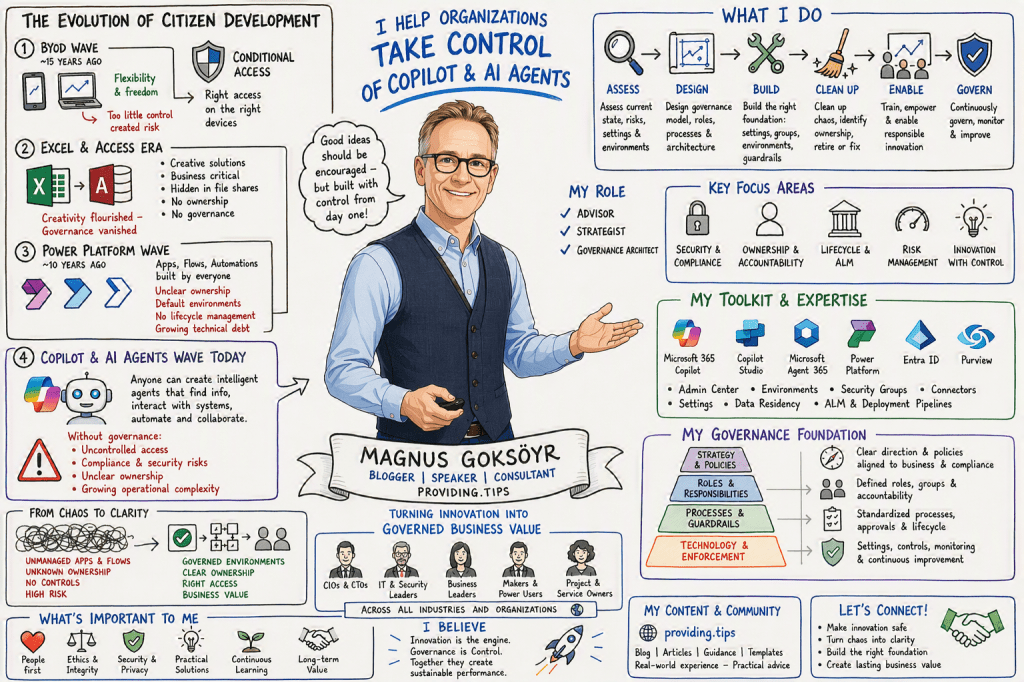
I’m Magnus

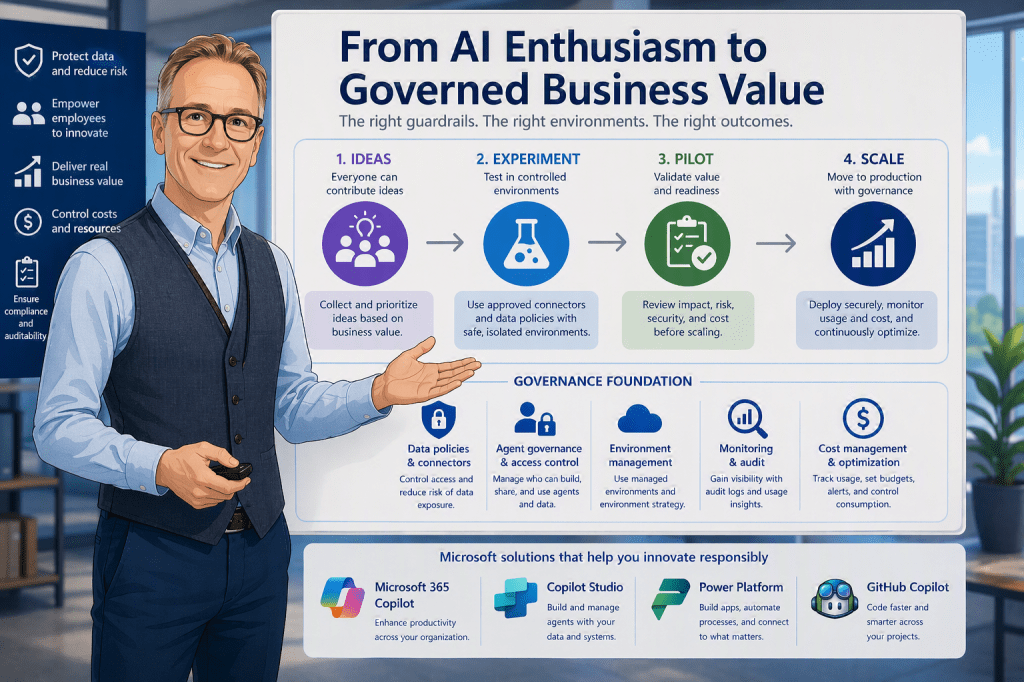
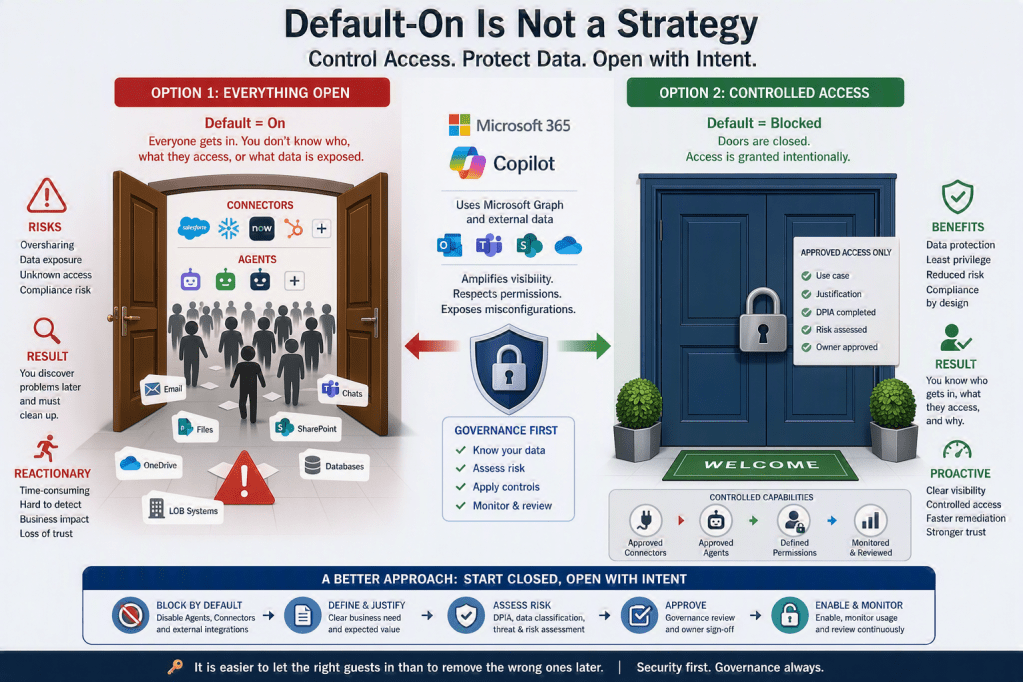
I am the person behind this blog, created to share experiences, insights, news, practical guidance, tips & tricks, constructive feedback, and reviews. While the blog covers most of Microsoft 365, a significant focus is on AI, Microsoft Copilot, security, and the governance frameworks required to use these technologies responsibly and effectively.
I am passionate about exploring, testing, and evaluating new applications, features, and solutions. However, I am equally passionate about understanding how to implement them securely and successfully. For me, technology is not only about innovation and productivity, but also about security, compliance, governance, and risk management. My goal is to help organizations and people maximize the value of Microsoft 365 and AI while ensuring that security, data protection, and responsible adoption remain at the center of every decision.