
Recently, we have experienced that there is indeed no shortage of settings in the Microsoft 365 Admin Center to tweak when it comes to Microsoft 365 Copilot and AI settings in Microsoft 365 Apps. We have Copilot Settings and we have Agent settings. Most of the best stuff is available right in the Microsoft 365 Admin Center and Agent 365. In my last blog post “Microsoft 365 Copilot Settings – Flexible inferencing/Flex routing during peak load periods”, I mentioned the setting for “Flex Routing”. Here we have another setting that deals with a similar theme, namely “Copilot in Microsoft 365 apps with Anthropic models”.
When you are in Microsoft 365 Admin Center – Copilot – Settings – View all, you will find almost at the bottom of the list a setting called “AI providers operating as Microsoft subprocessors. When you click on it, you will see “Available subprocessors for your organization” and under this text it is possible that you see “Anthropic” and that Anthropic is enabled for your organization.
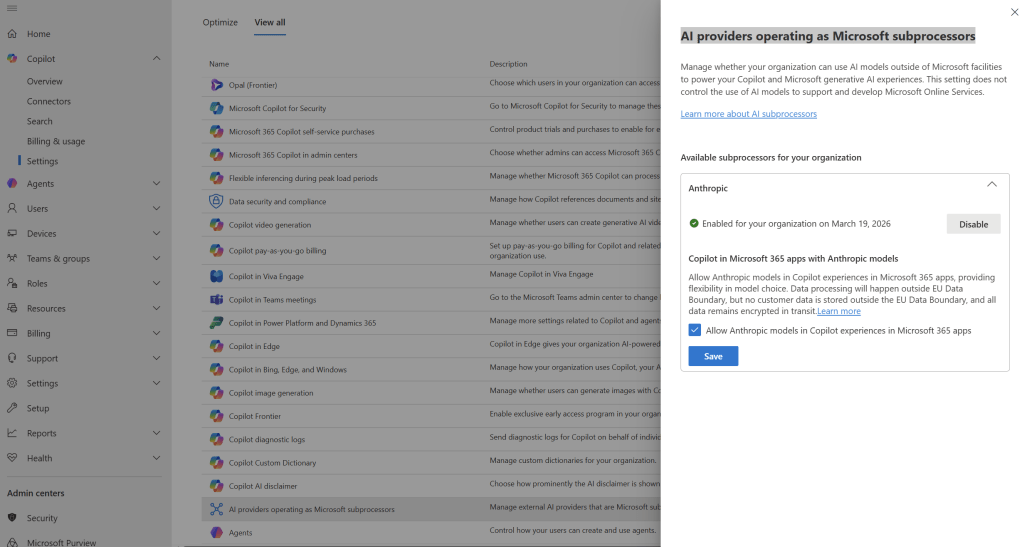
This is very good news and offers great opportunities. Now, I’m not going to be a party pooper 🥳, but I still want to point out a little cautiously that it’s good to think ahead (as it usually is). What does this really mean (other than that Microsoft 365 Copilot in Word, Excel and PowerPoint can become even more powerful and competent)?
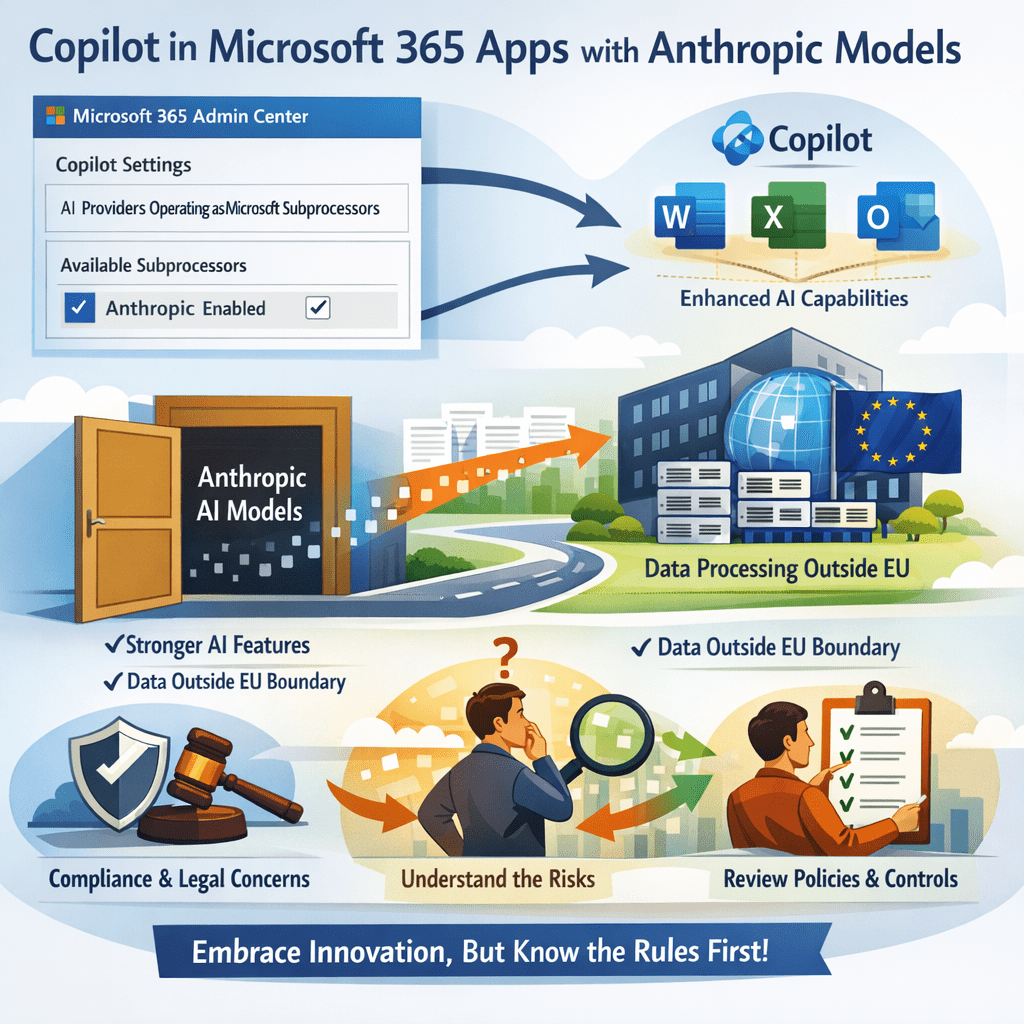
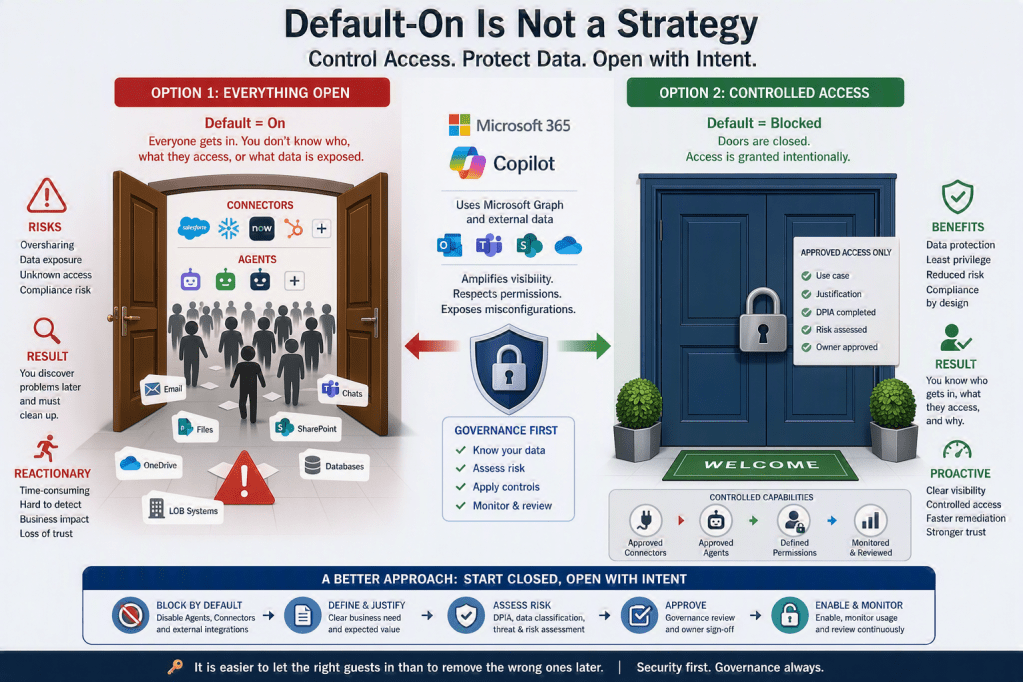
Enabling Anthropic models in Copilot for Microsoft 365 Apps (such as Word, Excel, PowerPoint, and Outlook) is similar to opening an additional door inside an otherwise well‑secured office building. The door can provide employees with more powerful capabilities directly within the apps they use every day, but it also means that data processing takes place outside the EU Data Boundary.
While Microsoft states that no customer data is stored outside the EU, and that all data is encrypted in transit, this setting still changes how information from M365 Apps is handled from a legal and compliance perspective. For many organizations, this can have implications for privacy requirements, regulatory obligations, and internal information security policies.
You should not be afraid to be an early adopter and embrace the latest developments. That is how you end up/are at the forefront of technology where exciting things happen. Therefore, my advice to you is to feel free to activate it BUT not without first understanding how it works and whether you actually comply with the legal requirements and guidelines that your organization must adhere to. First, take the time to familiarize yourself with how it actually works and what data is processed and where it moves and where it ends up. This preparatory work is a good investment both for your own understanding and to ensure that you have the control that is expected/required.
That is why it is important to:
- Clearly understand what Copilot in Microsoft 365 Apps is allowed to send to external models
- Assess the impact on regulatory compliance, internal policies, and risk tolerance
- Make a conscious and documented security decision, rather than enabling the setting by default

In short, this is not just a Copilot feature toggle — it is a decision that directly affects how data from Microsoft 365 Apps is processed, and it should be reviewed as carefully as deciding who is allowed access to the office building in the first place.
If you are curious to find out more about this topic, you should go to Microsoft Learn read further in the article “Copilot in Microsoft 365 apps with Anthropic models“.





Leave a comment