
Now you have the opportunity to create “Private channels” in your tenant, but have you informed all your users about how private channels work and how and when to use this functionality? If not, NOW is the time to communicate the guidelines you have for using private channels. (Surely you have developed guidelines?)
“I have a feeling that most of you have not prepared yourself for this rollout and now you stand there with the “Smörgåsbord” popped up and your users storm in, enjoy the goodies and leaves a very messy table behind.”
Two basic tips are:
- Don’t use a private channel as a way to create your own silos just because the other members don’t NEED to see some information. Use a private channel only when it comes to information they SHOULD NOT SEE.
- Do not allow all members to create private channels. (If You do allow them, then you risk that they exclude the team owner(s)).
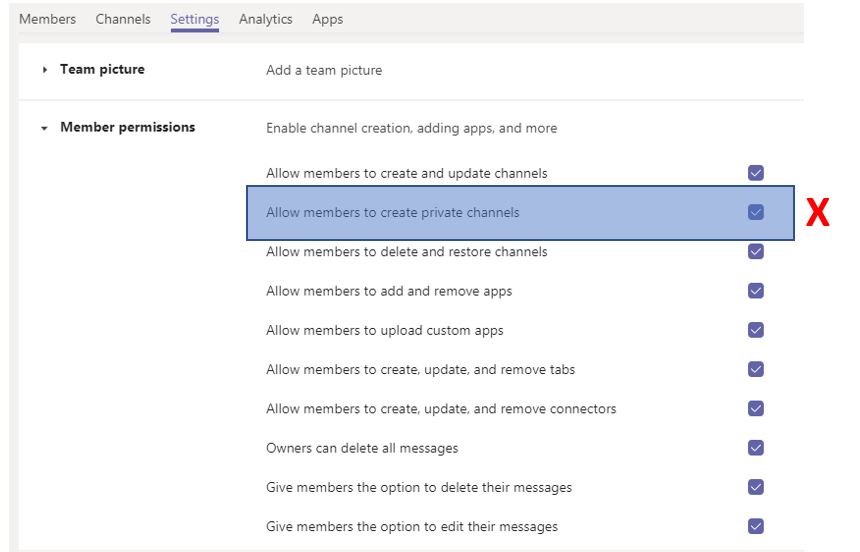
Change the settings on the teams so that only team owners can create private channels.
Before you have a plan for how to use private channels and all your users are informed, it is smart to block the possibility of creating private channels. You do that in the Microsoft Teams admin center using a Teams Policy.
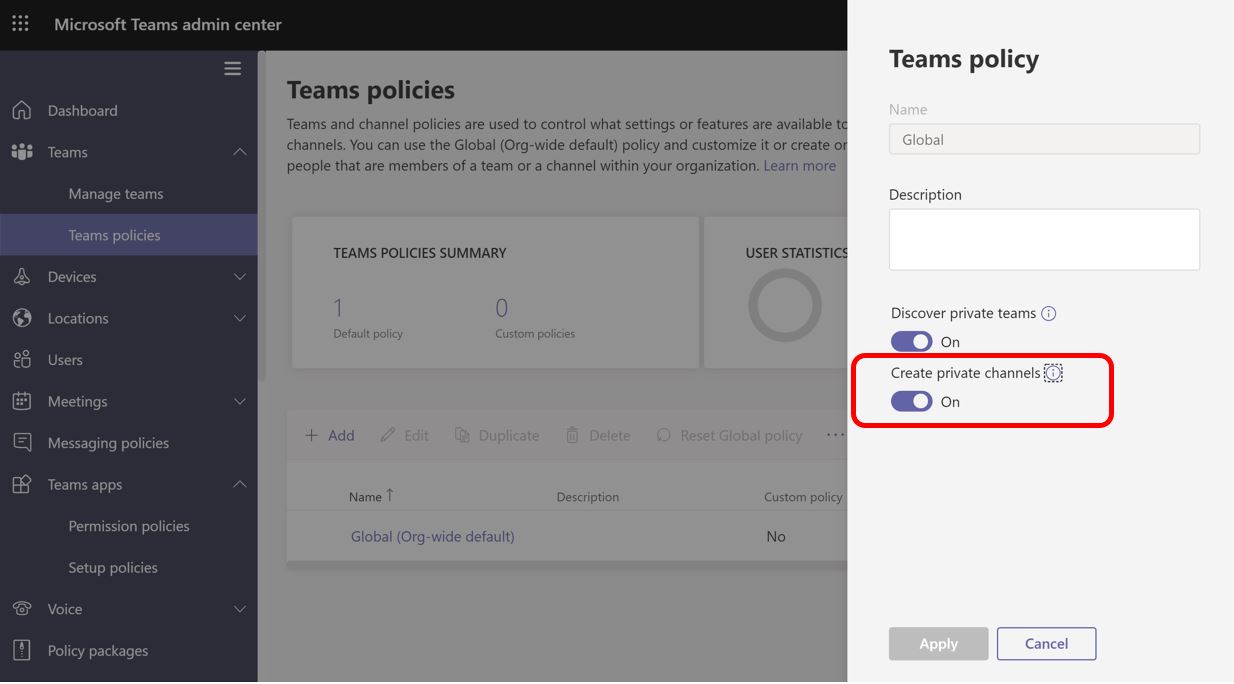

When everyone is informed about the “good table manners” and aware of your guidelines, simply activate this functionality again and honk and run.
But first of all!
If you haven’t read it already, start by reading Matt Wade’s blog post “Everything you need to know about Private Channels in Microsoft Teams“. In it, he goes through everything you need to know. Then, you develop guidelines for using private channels in your organization and inform users and make sure they understand the opportunities and challenges.
(Images by CranberryWine and jcm-1658 on Pixabay)








 Providing Tips
Leave a comment