
Before rolling out a new product you should always familiarize yourself with the product’s functionality, benefits and potential shortcomings.
Once you have done this, you can plan how it will be rolled out, how education should be conducted and last but not least, how it should be managed.
“We assume that your organization already has control over how you secure devices, users, apps and information. This is as basic as taking a shower and having breakfast before going to work.”
If you have not yet implemented Microsoft Teams and are wondering about functionality and what scenarios it is suitable for, I have, below, made a simple summary of the basic functionality you get with Microsoft Teams.
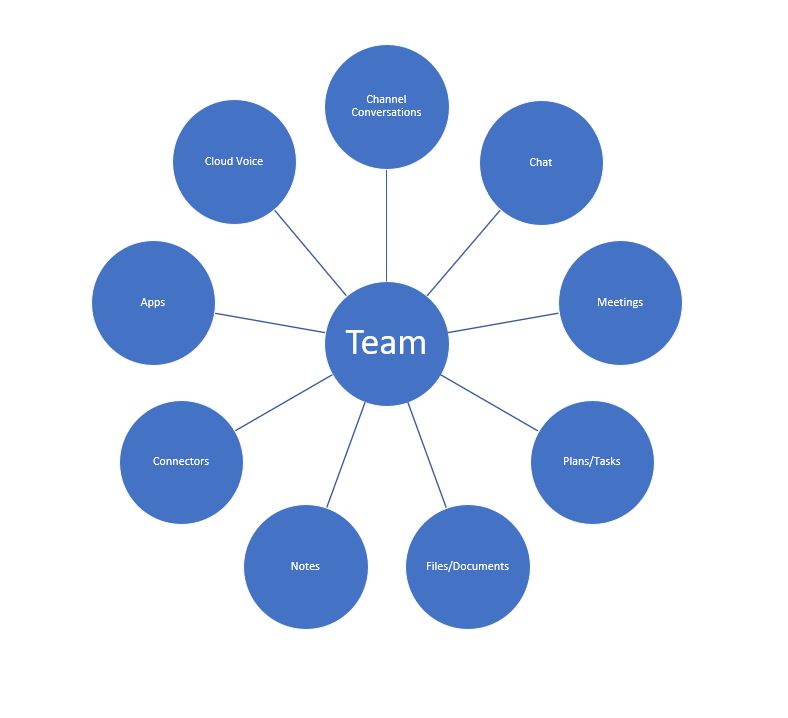
Basic features
Other useful sources
Get to know the product
- Welcome to Microsoft Teams
- Get started with Microsoft Teams
- Overview of teams and channels in Microsoft Teams
- Learn about teams and channels
Plan how to implement it and manage it
- Define usage scenarios for Microsoft Teams
- Create a Governance plan
- Guide to configure a basic Governance Team for Office 365
- How to roll out Microsoft Teams
- Adopt Microsoft Teams
The best source of information when you need help
Don’t miss the opportunity to get help from the Microsoft Tech Community. If you have questions about functionality or if you are struggling with a problem, you can be sure that you will get answers here.








 Providing Tips
Leave a comment