
If you follow the Microsoft 365 roadmap i am sure that you have read about the Feature ID: 51326. Today i found it available in my tenant so of course i had to try it. In addition to start a new “Conversation” in Microsoft Teams you can now also create an “Announcement” with a nice header. An announcement is like a conversation but it stands out a little bit more. Here is how to do it!
Press the icon for the “Compose box”

Press the arrow to the right of “New conversation” and select “Announcement”

Type the title and insert a header image
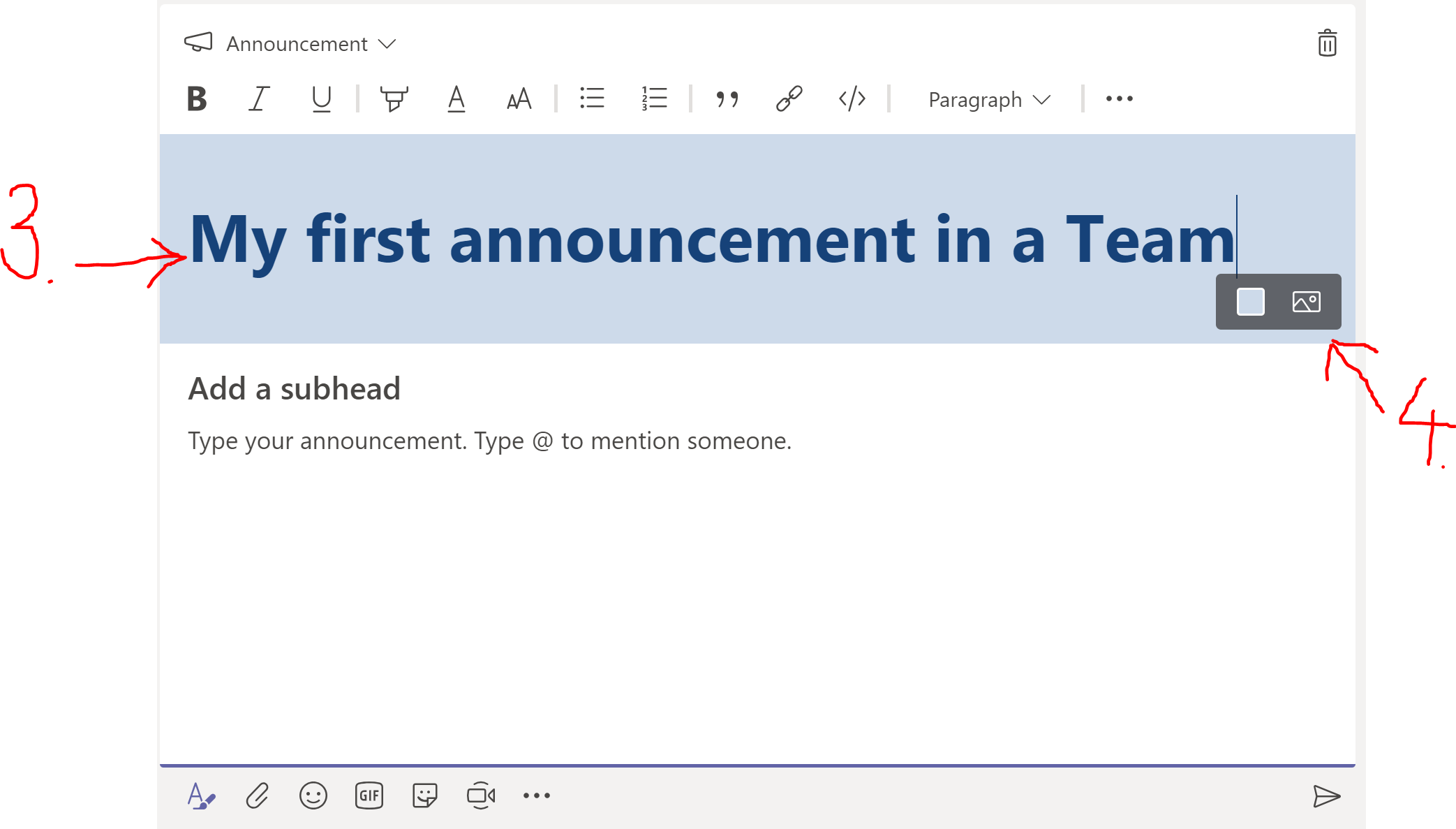
Add a sub-header and the announcement text

Formatting options (and spell check…) are the same as in an ordinary conversation. Format the text and press the post icon in order to post the announcement.

And you are done.








 Providing Tips
Leave a comment