
In all Teams channels we always have “Channel posts” and Files and Notes but often we also want to add something more, for example a Planner. Adding tabs to channels in Microsoft Teams is a simple and very useful feature when you want to collect all relevant information structured in its proper context.
This morning i noticed that i can suddenly no longer add a new tab to a Teams channel in Microsoft Teams.
First reaction was to restart Teams but that didn’t help, still no plus sign to click on to add a new tab.
Step 2 was to restart the computer but the same result there, still no plus sign to click on to add a new tab.
Step 3 was to get a little irritated and grumpy, why shouldn’t you be able to add new tabs? Has there been any update that I missed reading the information about (I wouldn’t believe it because I try to keep up with all the updates and news, but despite that, it sometimes happens that I miss something).

After a little clicking, I quickly discovered that of course it’s not that you can’t create tabs, but the way to do it has changed a bit. (Whether this change is an improvement or a deterioration is up to each person to decide.) Personally, I think it was very easy before to add new tabs by just clicking the plus sign, but it’s not particularly difficult now either, it’s, like in the rest of life, just learning and adapting and most things will work out. Below you can see a simple explanation of how it works now.

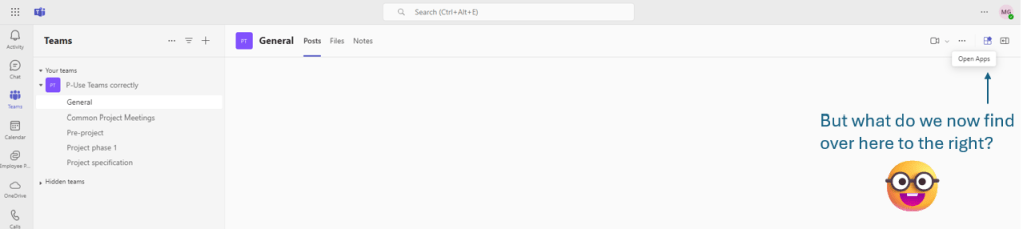
Surprise – The new icon “Open Apps”
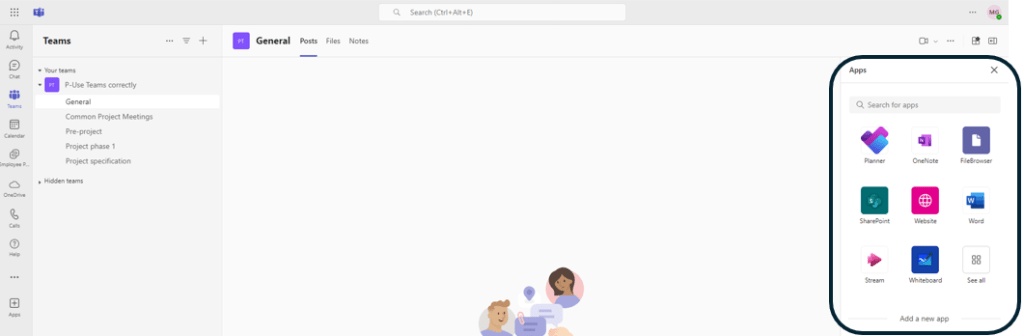
Here you can now choose between the apps you want to add as a tab

In my case, I want to add a Planner plan, so I click on Planner.

Yes, I want to “pin” it
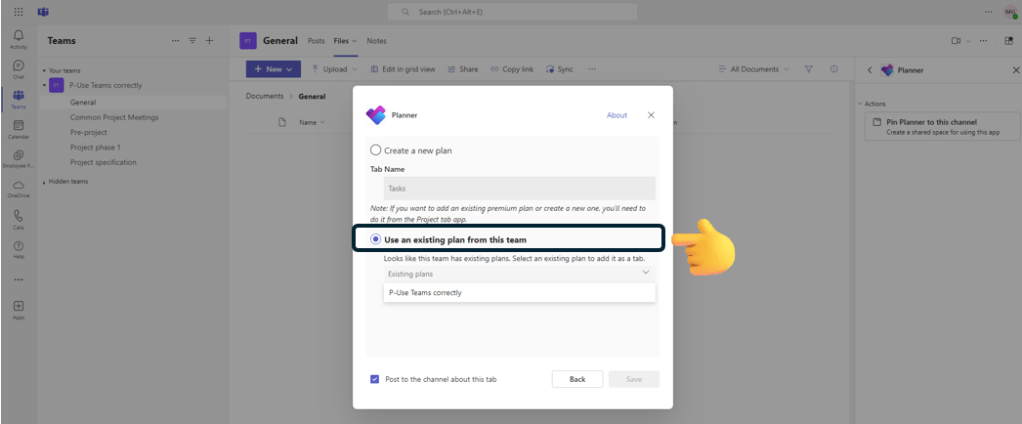
I avoid creating new Planner plans for individual channels and instead always try to use the Planner that belongs to the Team.
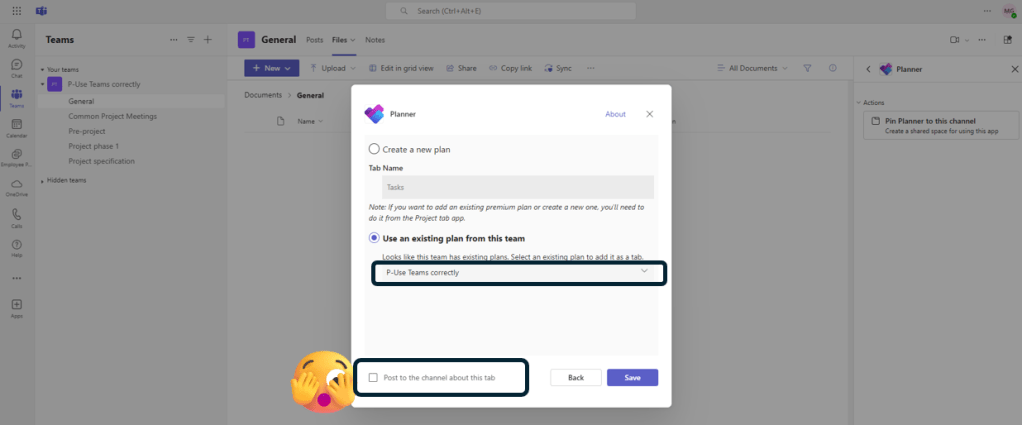
I therefore choose the Teams connected Planner plan and in order not to create unnecessary disruptions for my colleagues in the Team, I deactivate the box “Post in the channel about this tab”.

And now the tab with the planner plan has been added to the channel, but since the Planner plan has the same name as the Team, I want to rename the tab to a more descriptive name.








 Providing Tips
Leave a comment