
If your organization wants to explore how AI can simplify work, automate processes, and spark innovation, Copilot Studio is one of the quickest and most accessible ways to get started. It encourages experimentation and creativity—without slowing you down with heavy planning or complex governance before you begin.
Think of Copilot Studio as a creative playground where ideas turn into real solutions in minutes.
Start Fast: Explore in the Default Environment (or in a Sandbox)
New agents built in Copilot Studio are in many cases stored in the Default environment in Power Platform Admin Center (unless you have- or select another environment.
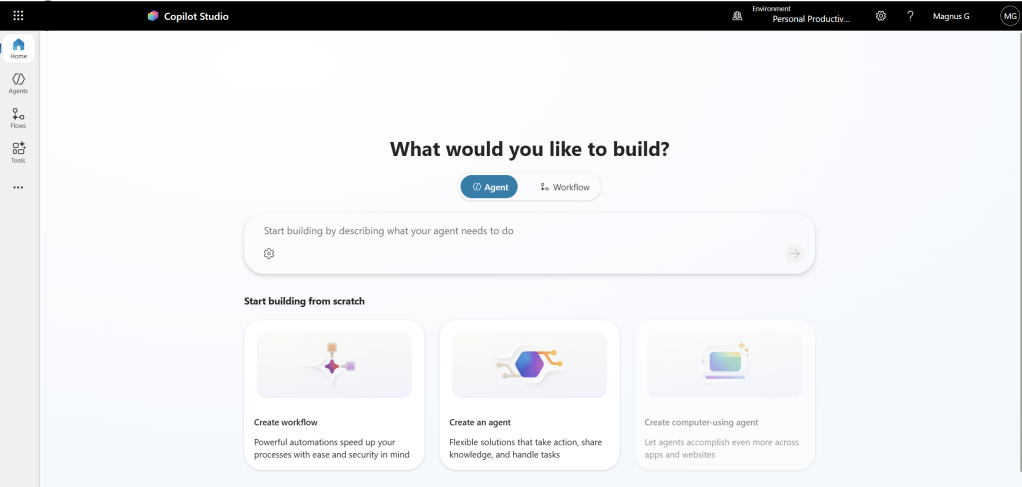
A simple analogy:
The Default environment is like a shared whiteboard in the office.
Everyone has access, everyone can sketch ideas, and nothing stops you from experimenting.
This makes it perfect for:
- Early prototypes
- Small automations
- Internal helpers
- Learning and discovery
- Anything that is not business‑critical
This is the best place to start because you don’t need approvals, setup, or planning—just curiosity and a problem to solve.
Based on Microsoft Learn documentation, the Default environment is intended for:
1. Personal productivity and individual maker experimentation
Microsoft explicitly states that every employee in the organization has access to the default environment and that admins should communicate the intended uses, such as personal productivity scenarios and lightweight experimentation.
[learn.microsoft.com]
2. Low‑risk, non-critical prototypes and learning
The Default environment is automatically available to all makers and is meant as a safe place to learn, test ideas, and build simple apps/flows that are not business‑critical.
[learn.microsoft.com]
3. Initial app and flow creation before moving to a proper governed environment
Microsoft guidance highlights tracking connectors in the Default environment and directing makers to move production apps to dedicated environments with appropriate policies. This reinforces that the default environment is not intended for long-term or production workloads.
[learn.microsoft.com]
Go Hands-On: When Personal Developer Environments Make Sense
While the Default environment is great for shared experimentation, sometimes you want a space that is just for you—without worrying about affecting other users or cluttering the shared area.
That’s where Personal Developer Environments come in.
A helpful analogy:
A Personal Developer Environment is like your own private workshop.
You can test tools, take things apart, and run experiments without worrying that someone else will step on your cables.
Use a Personal Development environment when:
- You want to explore advanced capabilities without affecting shared resources
- You need a safe place to test integrations or connectors
- You’re learning and want full control over your own sandbox
- You want to build more complex agents before sharing them with others
- You prefer a clean environment that only you manage
This is ideal for developers, power users, or anyone who needs room to experiment privately before moving an idea to “the main stage.”
When Things Get Serious: Add Structure and Governance
There comes a moment when a simple idea evolves into something much more important.
At that point, you need structure.
If your agent starts to:
- Automate a core business process
- Handle sensitive or regulated data
- Make decisions that affect customers or operations
- Integrate with critical systems (ERP, CRM, HR, Finance)
…then you’ve moved beyond the whiteboard or the workshop.
Now you’re building something that needs reliability, security, and long‑term management.
Before building such agents, it’s important to clearly describe:
- The problem the agent should solve
- The business process it supports or replaces
- The expected value
- The data sources and systems involved
This clarity makes the difference between a fun experiment and a dependable business solution.
Use Governed Environments When Reliability Matters
For business‑critical agents, you should use dedicated, governed environments in Power Platform Admin Center.
Analogy:
A governed environment is like a controlled project room with access badges, clear rules, and scheduled reviews.
Using dedicated environments gives you:
- Controlled access to data
- Proper security and compliance
- Lifecycles for development, testing, and production
- Clear ownership, documentation, and maintenance
Examples of agents that belong here:
- An AI assistant that processes customer service cases
- An onboarding agent that interacts with HR data
- A finance agent pulling or updating sensitive records
- A workflow agent coordinating sales or logistics
These agents become part of your operational backbone—and deserve a home designed for stability and governance.
Why Copilot Studio is great — and why small solutions can scale to enterprise level
Easy to start small using low‑code, natural‑language driven design methods.
Microsoft’s guidance emphasizes iterative, user‑focused methods and structured design frameworks that make it simple to build initial lightweight agents without heavy engineering effort.
[learn.microsoft.com]
Built‑in templates, best practices, and structured design support rapid prototyping.
Copilot Studio guidance includes practical how‑tos, topic best practices, and design patterns that allow teams to move quickly from simple prototypes to more refined solutions.
[learn.microsoft.com]
Designed for iterative growth from early experiments to enterprise‑ready agents.
Microsoft’s Copilot Studio guidance hubs help organizations plan, design, and operate agents at scale, enabling teams to start small and evolve solutions gradually as complexity increases.
[microsoft.com]
Enterprise-grade security, governance, and lifecycle management built in from day one.
Copilot Studio offers managed security, governance controls, environment management, monitoring, and ALM (application lifecycle management), ensuring small early solutions can scale safely without re‑architecture.
[learn.microsoft.com]
Seamless path from simple agents to advanced integrations and multi‑agent workflows.
As organizations mature, Copilot Studio supports adding enterprise knowledge sources, sophisticated tools, generative orchestration capabilities, and integration with Microsoft 365 and Azure ecosystems—allowing small solutions to grow into advanced enterprise agents.
[learn.microsoft.com]
The Balanced Approach: Create Freely, Govern When Needed
In short:
- Default environment or Sandbox: Great for shared experimentation and quick starts
- Personal Developer environment: Perfect for private, safe testing and advanced prototyping
- Governed environments: Essential for business‑critical, sensitive, or high‑impact agents
Copilot Studio lets you explore ideas freely while giving you the tools to scale solutions responsibly when the time comes.
(This blog post was partially structured and formulated with some help from Microsoft 365 Copilot.)







 Providing Tips
Leave a comment