How to reuse the perfect news post in SharePoint Online

Is your intranet based on SharePoint Online? Do you have that very special news post that has the perfect layout with the tables and elements you want on all (or some) new  news posts?

Did you know that you can use an old news post as a template when you create a new post?
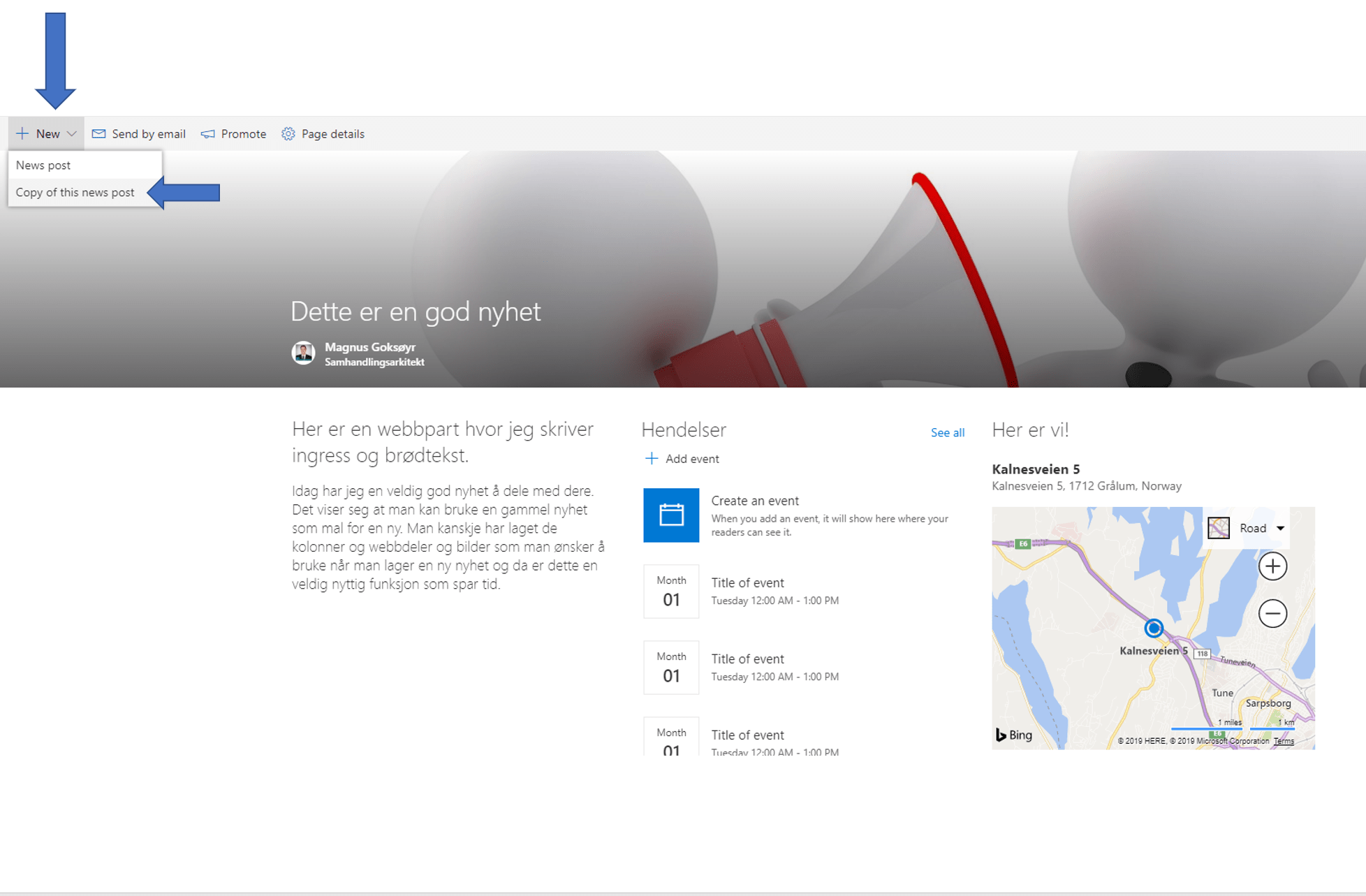
CopyNewsPost

1. Open “the perfect news post” you want to reuse.

2. Click New.

3. Select “Copy of this news post”.

4. Customize your new article.

5. Publish.

How easy can something be?

Leave a comment

This site uses Akismet to reduce spam. Learn how your comment data is processed.

I’m Magnus

I am the one who runs this blog whose purpose is to spread and share experiences, wisdom, news, information, good advice, tips & tricks, constructive feedback and reviews. All of this related, in one way or another, to Microsoft 365 in general and Microsoft Teams in particular.

I am passionate about testing and evaluating new applications, functionality and solutions, but I am just as passionate about ensuring how to put it to use in the right way.





